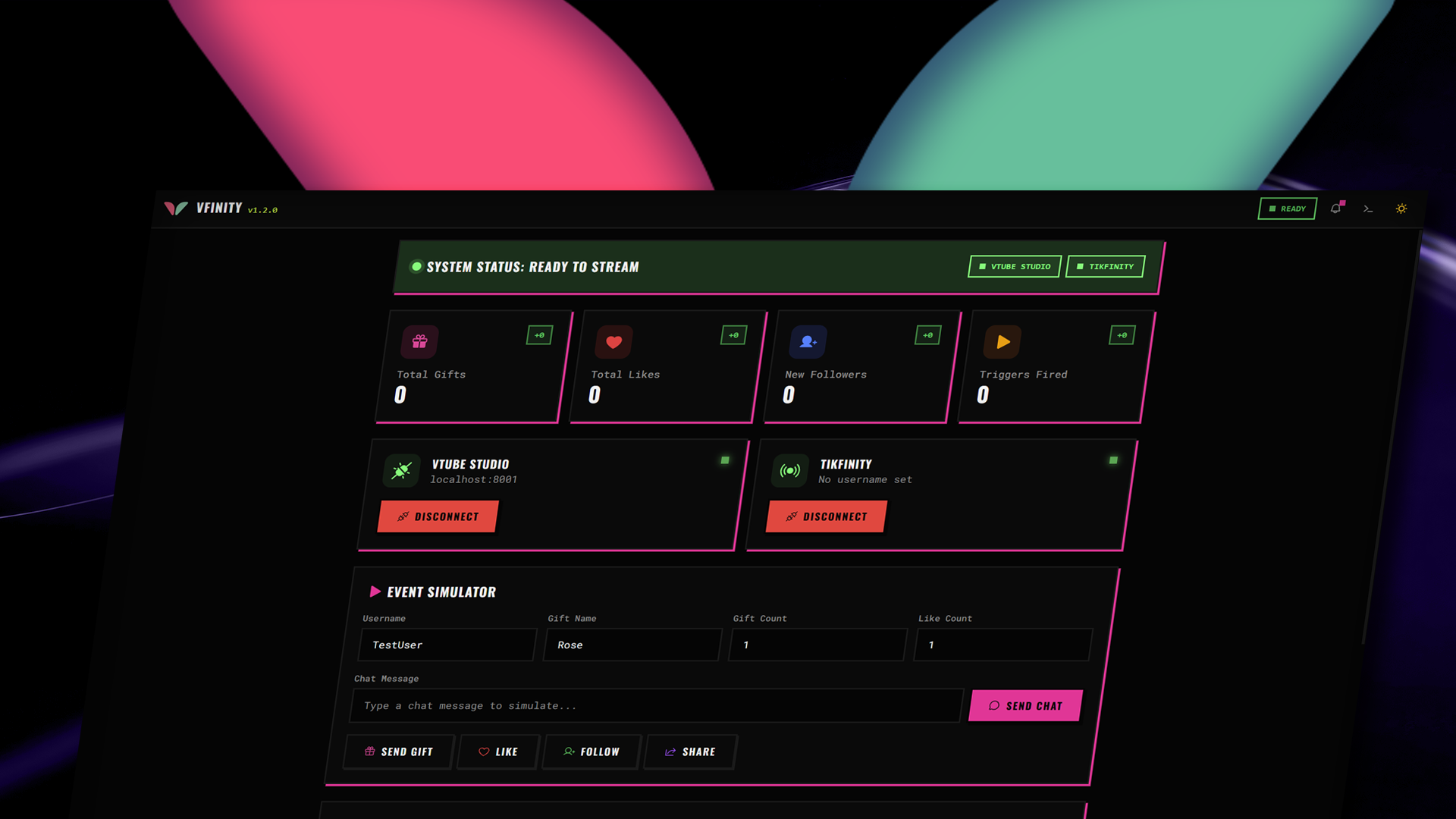
Vfinity - Connect VTube Studio to Tiktok
Update version 1.4.0
Update version 1.4.0
4 Languages : Eng, Thai, Spain, Chinese
English
What's New
- Overlay widgets for OBS. A new Overlay tab gives you a chat box, an alerts panel and an events board. Each is its own browser source, and each gets the same customisation: where it sits, the font, the frame, and how entries slide, fade or pop in and out.
- A gift-goal Timer. Counts down or up, and you decide how much time each gift adds — so a goal can run on stream and your viewers can push it.
- Chat read aloud. Text-to-speech for incoming chat, with a queue and filters so it does not talk over itself. Microsoft Edge voices work out of the box; ElevenLabs, Speechify, Murf, Cartesia and Fish Audio are there if you want a premium voice. Alerts can be spoken too, from your own templates.
- Per-gift throw settings. A gift mapping now decides how hard its item is thrown, what it aims at, how long it stays on screen, which edge it comes in from — including dropping straight down from above — and how fast it spins. Aim takes a specific body part, a random one for every item, or the whole model as before. Every one of these is optional: leave a gift alone and it throws exactly as it did in 1.3.0.
- Throw styles in one click. Gentle, Normal and Chaos set the physics for you. Tune anything by hand and the picker simply says Custom.
Fixed
- A diamond minimum could switch off every throw, with nothing on screen to explain it. Minimum diamonds to throw has always applied to your gift mappings as well as to auto-thrown gifts, but the slider only appeared while auto-throw was on. Set it to 1000, switch to your own mappings, and everything stopped — with the control that caused it no longer visible. It now stays on screen whenever it holds a value, says plainly that it gates your mappings too, and offers steps that match what gifts actually cost. A Rose is one diamond.
- The Throwing tab tells you why nothing is being thrown. A panel at the top lists every reason it can find — a leftover diamond minimum, a gift mapping that quietly narrowed auto-throw to itself, a target body part you deleted, no OBS source listening, VTube Studio not connected — and most of them come with a button that fixes it.
- Number boxes hold you to their range. Typing past a maximum stored the number anyway, clearing a box stored 0, and a burst cap of 0 secretly meant
- Values are held to their limits as you type, and a scene saved with out-of-range numbers is repaired when it loads instead of driving the physics with them.
Removed
- The four unlabelled "ADV" panels on the Throwing tab. Nothing in them is gone — they sit behind one Advanced switch now, which remembers where you left it instead of snapping shut every time you leave the page.
- The old warning banner, which only ever covered one of the many ways a scene can end up throwing nothing. The diagnostics panel replaces it.
Improved
- The Throwing tab opens on what a first setup actually needs: calibrate, map your gifts, pick a throw style, test it. It used to present about fifty-five controls at once, which is how people ended up setting values that quietly switched throwing off.
- Sound volume sits with the sounds. It used to live in Physics, two tabs away from every sound you upload.
- An idle stream costs far less. The throwing physics sleeps when nothing is in flight rather than running a full 60fps loop over an empty scene, and chat traffic no longer redraws the whole app.
- Each OBS source loads only its own page instead of the entire app, so a chat or alerts source starts light and never pulls in the physics engine.
Español
Novedades
- Widgets de overlay para OBS. La nueva pestaña Overlay trae un chat, un panel de alertas y un tablero de eventos. Cada uno es su propia fuente de navegador y comparte los mismos ajustes: posición, tipografía, marco y cómo entra y sale cada elemento (deslizar, fundido o pop).
- Un temporizador de meta de regalos. Cuenta hacia atrás o hacia adelante, y tú decides cuánto tiempo suma cada regalo, para que la meta avance en directo con la ayuda de tu gente.
- El chat leído en voz alta. Texto a voz para el chat entrante, con cola y filtros para que no se pise a sí mismo. Las voces de Microsoft Edge funcionan desde el primer momento; ElevenLabs, Speechify, Murf, Cartesia y Fish Audio están ahí si quieres una voz premium. Las alertas también pueden leerse, con tus propias plantillas.
- Ajustes de lanzamiento por regalo. Cada asignación de regalo decide con cuánta fuerza se lanza su objeto, a qué apunta, cuánto dura en pantalla, por qué borde entra —incluida una caída desde arriba— y a qué velocidad gira. La puntería acepta una parte del cuerpo concreta, una al azar para cada objeto, o el modelo entero como hasta ahora. Todo es opcional: si no tocas un regalo, se lanza exactamente igual que en la 1.3.0.
- Estilos de lanzamiento en un clic. Gentle, Normal y Chaos configuran la física por ti. Ajusta algo a mano y el selector pasa a decir Custom.
Correcciones
- Un mínimo de diamantes podía apagar todos los lanzamientos sin nada en pantalla que lo explicara. Mínimo de diamantes para lanzar siempre se ha aplicado también a tus asignaciones de regalos, pero el control solo aparecía con el lanzamiento automático activado. Lo ponías en 1000, pasabas a tus propias asignaciones y todo se detenía, con el causante ya invisible. Ahora permanece en pantalla siempre que tenga un valor, dice claramente que también afecta a tus asignaciones, y ofrece pasos acordes a lo que cuestan los regalos de verdad. Una rosa es un diamante.
- La pestaña Throwing te dice por qué no se lanza nada. Un panel superior enumera todos los motivos que encuentra —un mínimo de diamantes olvidado, una asignación que redujo el lanzamiento automático a sí misma, una parte del cuerpo que borraste, ninguna fuente de OBS escuchando, VTube Studio sin conectar— y casi todos traen un botón que lo arregla.
- Los campos numéricos respetan su rango. Escribir por encima del máximo lo guardaba igualmente, vaciar el campo guardaba 0, y un tope de ráfaga de 0 significaba 50 en secreto. Ahora los valores se ajustan a sus límites según escribes, y una escena guardada con números fuera de rango se repara al cargarse en lugar de alimentar la física con ellos.
Eliminaciones
- Los cuatro paneles «ADV» sin etiqueta de la pestaña Throwing. No se ha perdido nada: están detrás de un único interruptor Advanced, que además recuerda cómo lo dejaste en vez de cerrarse cada vez que sales de la página.
- El antiguo aviso, que solo cubría una de las muchas formas en que una escena acaba sin lanzar nada. El panel de diagnóstico ocupa su lugar.
Mejoras
- La pestaña Throwing empieza por lo que hace falta de verdad: calibrar, asignar tus regalos, elegir un estilo y probarlo. Antes mostraba unos cincuenta y cinco controles a la vez, que es justo como se acababa poniendo valores que apagaban el lanzamiento sin avisar.
- El volumen está junto a los sonidos. Vivía en Physics, a dos pestañas de cada sonido que subes.
- Un directo en reposo cuesta mucho menos. La física del lanzamiento se duerme cuando no hay nada en vuelo, en lugar de mantener un bucle a 60 fps sobre una escena vacía, y el tráfico del chat ya no redibuja toda la app.
- Cada fuente de OBS carga solo su propia página en vez de la aplicación entera, así que un chat o unas alertas arrancan ligeros y nunca cargan el motor de física.
简体中文
新增内容
- 给 OBS 用的 overlay 组件 — 新的 Overlay 标签页提供聊天框、提醒面板和事件板, 每一个都是独立的浏览器源,也都有同一套自定义项:位置、字体、边框,以及内容滑入、 淡入或弹出的进出动画。
- 礼物目标计时器 — 可以倒计时也可以正计时,每种礼物加多少时间由你决定,直播时 观众就能一起把目标推上去。
- 聊天朗读 — 对进来的聊天做文字转语音,带队列和过滤,不会自己盖住自己。微软 Edge 的语音开箱即用;想要更好的音色,还有 ElevenLabs、Speechify、Murf、Cartesia 和 Fish Audio。提醒也可以朗读,用你自己写的模板。
- 按礼物设置抛出效果 — 每条礼物映射现在可以决定:物品被扔得多用力、瞄准哪里、 在画面上停留多久、从哪一侧飞进来(也可以直接从上方掉下来),以及旋转多快。瞄准 可以选具体的身体部位、每个物品随机选一个,或者像以前一样对准整个模型。这些全部 是可选项——不动某个礼物,它的表现和 1.3.0 完全一样。
- 一键切换抛出风格 — Gentle、Normal、Chaos 会替你把物理参数配好。自己手动调过 之后,选择器就会显示 Custom。
问题修复
- 钻石下限可能让所有抛出都停掉,而画面上没有任何解释 — 「投掷所需的最少钻石数」 一直对礼物映射也生效,但这个控件只在开启自动抛出时才出现。把它设成 1000,再改用 自己的映射,一切就停了——而造成这件事的控件已经看不到了。现在只要它有值就一直显示, 并明确说明它同样会挡住你的映射,档位也按礼物的真实价格来分。一朵玫瑰是 1 钻石。
- Throwing 标签页会告诉你为什么没有东西被扔出来 — 顶部的面板会列出它能找到的 所有原因——没清掉的钻石下限、把自动抛出悄悄缩小到自己身上的礼物映射、你已经删掉的 目标部位、没有 OBS 源在接收、VTube Studio 未连接——而且大部分都配了一键修复按钮。
- 数字输入框会守住自己的范围 — 以前超过上限照样存,清空输入框会存成 0,连击上限 填 0 实际上等于 50。现在输入时就会被限制在范围内,保存时超出范围的场景会在加载时 自动修复,而不是拿这些数字去跑物理。
移除内容
- Throwing 标签页里四个没有名字的「ADV」面板 — 里面的东西一个都没少——它们现在 收在一个 Advanced 开关后面,而且这个开关会记住你的选择,不像以前一离开页面 就自动合上。
- 旧的警告横幅 — 它只覆盖了「场景什么都不扔」众多原因里的一种。现在由诊断面板取代。
功能改进
- Throwing 标签页一打开就是初次设置真正需要的东西 — 校准、映射礼物、挑一个抛出 风格、测试。以前一次摆出大约五十五个控件,人们也正是这样才会设出悄悄关掉抛出的值。
- 音量和声音放在一起了 — 它以前在 Physics 里,离你上传声音的地方隔了两个标签页。
- 空闲时的直播开销小得多 — 没有物品在飞的时候抛出物理会休眠,而不是对着空场景 一直跑 60fps;聊天流量也不再重绘整个应用。
- 每个 OBS 源只加载自己那一页 — 而不是整个应用,所以聊天或提醒源启动很轻, 也完全不会加载物理引擎。
ไทย
มีอะไรใหม่
- วิดเจ็ต overlay สำหรับ OBS แท็บ Overlay ใหม่มีกล่องแชท แผงแจ้งเตือน และกระดาน อีเวนต์ แต่ละตัวเป็น browser source ของตัวเอง และปรับแต่งได้เหมือนกันหมด ทั้งตำแหน่ง ฟอนต์ กรอบ และลูกเล่นตอนเข้าออก (เลื่อน จาง หรือเด้ง)
- ตัวจับเวลาเป้าหมายของขวัญ นับถอยหลังหรือนับขึ้นก็ได้ และคุณกำหนดเองว่าของขวัญ แต่ละแบบเพิ่มเวลาเท่าไหร่ เป้าหมายจะได้เดินไปพร้อมกับคนดูระหว่างไลฟ์
- อ่านแชทออกเสียง แปลงข้อความแชทเป็นเสียง มีคิวและตัวกรองไม่ให้พูดทับกันเอง เสียงของ Microsoft Edge ใช้ได้ทันที ส่วน ElevenLabs, Speechify, Murf, Cartesia และ Fish Audio มีให้เลือกถ้าอยากได้เสียงระดับพรีเมียม การแจ้งเตือนก็อ่านออกเสียงได้ ตามข้อความที่คุณตั้งเอง
- ตั้งค่าการโยนแยกรายของขวัญ ตอนนี้การผูกของขวัญแต่ละอันกำหนดได้เองว่าจะโยนแรงแค่ไหน เล็งไปที่ไหน อยู่บนจอนานเท่าไหร่ เข้ามาจากด้านไหน (รวมถึงหล่นลงมาจากด้านบน) และหมุนเร็วแค่ไหน การเล็งเลือกได้ทั้งส่วนของร่างกายที่เจาะจง สุ่มใหม่ทุกชิ้น หรือทั้งตัวโมเดลแบบเดิม ทุกอย่างเป็นตัวเลือกเสริม ถ้าไม่แตะของขวัญไหน มันจะโยนเหมือนเวอร์ชัน 1.3.0 ทุกประการ
- สไตล์การโยนแบบคลิกเดียว Gentle, Normal และ Chaos ตั้งค่าฟิสิกส์ให้เสร็จ ถ้าปรับเองเมื่อไหร่ ตัวเลือกจะขึ้นว่า Custom
แก้ไขแล้ว
- ค่าเพชรขั้นต่ำเคยปิดการโยนทั้งหมดได้ โดยไม่มีอะไรบนจอบอกสาเหตุ "จำนวนเพชรขั้นต่ำ ที่จะโยน" มีผลกับการผูกของขวัญของคุณมาตลอด ไม่ใช่แค่การโยนอัตโนมัติ แต่ตัวควบคุมนี้ จะโผล่มาเฉพาะตอนเปิดโยนอัตโนมัติเท่านั้น พอตั้งไว้ 1000 แล้วเปลี่ยนไปใช้การผูกของขวัญเอง ทุกอย่างก็หยุด ทั้งที่ตัวต้นเหตุหายไปจากหน้าจอแล้ว ตอนนี้มันจะอยู่บนจอตลอดเมื่อมีค่า บอกตรง ๆ ว่ามันกันการผูกของขวัญด้วย และให้เลือกเป็นระดับตามราคาของขวัญจริง กุหลาบหนึ่งดอกเท่ากับ 1 เพชร
- แท็บ Throwing บอกแล้วว่าทำไมไม่มีอะไรถูกโยน แผงด้านบนจะไล่เหตุผลทั้งหมดที่หาเจอ ทั้งค่าเพชรขั้นต่ำที่ลืมไว้ การผูกของขวัญที่ไปบีบให้โยนเฉพาะตัวมันเอง ส่วนของร่างกาย ที่คุณลบไปแล้ว ไม่มี OBS source รับอยู่ หรือ VTube Studio ยังไม่เชื่อมต่อ และส่วนใหญ่มีปุ่มกดแก้ให้ทันที
- ช่องกรอกตัวเลขคุมค่าตามช่วงของมันแล้ว เมื่อก่อนพิมพ์เกินค่าสูงสุดก็ยังบันทึก ล้างช่องว่างก็กลายเป็น 0 และเพดานชุดโยนที่ตั้งเป็น 0 กลับหมายถึง 50 อย่างเงียบ ๆ ตอนนี้ค่าจะถูกคุมให้อยู่ในช่วงตั้งแต่ตอนพิมพ์ และซีนที่เคยบันทึกค่าเกินช่วงไว้ จะถูกซ่อมตอนโหลด แทนที่จะเอาค่าพวกนั้นไปสั่งฟิสิกส์
นำออกแล้ว
- แผง "ADV" สี่อันที่ไม่มีชื่อในแท็บ Throwing ของข้างในไม่ได้หายไปไหน แค่ย้ายไปอยู่ หลังสวิตช์ Advanced อันเดียว ซึ่งจำค่าที่คุณตั้งไว้ด้วย ไม่ปิดตัวเองทุกครั้ง ที่ออกจากหน้า
- แถบเตือนแบบเดิม ที่ครอบคลุมแค่หนึ่งในหลายสาเหตุที่ซีนจะไม่โยนอะไรเลย ตอนนี้แผงตรวจสอบมาแทนแล้ว
ปรับปรุงแล้ว
- แท็บ Throwing เปิดมาเจอสิ่งที่การตั้งค่าครั้งแรกต้องใช้จริง ๆ: คาลิเบรต ผูกของขวัญ เลือกสไตล์การโยน แล้วลองยิงดู เมื่อก่อนมันโยนตัวควบคุมมาให้พร้อมกันราวห้าสิบห้าอัน ซึ่งเป็นเหตุผลที่คนเผลอตั้งค่าจนการโยนหยุดทำงานแบบเงียบ ๆ
- ระดับเสียงย้ายไปอยู่กับเสียง เมื่อก่อนมันอยู่ในหน้า Physics ห่างจากที่อัปโหลดเสียง ไปสองแท็บ
- ตอนไลฟ์ที่ยังไม่มีอะไรเกิดขึ้น กินเครื่องน้อยลงมาก ฟิสิกส์การโยนจะหลับเมื่อไม่มี ของลอยอยู่ แทนที่จะวนลูป 60fps กับฉากเปล่า ๆ และทราฟฟิกแชทก็ไม่วาดทั้งแอปใหม่อีกแล้ว
- OBS source แต่ละตัวโหลดเฉพาะหน้าของตัวเอง ไม่ใช่ทั้งแอป แหล่งแชทหรือแจ้งเตือน จึงเริ่มทำงานเบา ๆ และไม่ดึงเอนจินฟิสิกส์เข้ามาเลย
Files
Vfinity_1.4.0_x64.dmg 38 MB
Version v1.4.0 15 days ago
Vfinity_1.4.0_aarch64.dmg 35 MB
Version v1.4.0 15 days ago
Vfinity_1.4.0_amd64.AppImage 110 MB
Version v1.4.0 15 days ago
Vfinity_1.4.0_x64-setup.exe 22 MB
Version v1.4.0 15 days ago
Get Vfinity - Connect VTube Studio to Tiktok
Download NowName your own price
Vfinity - Connect VTube Studio to Tiktok
Connect VTube Studio to Tiktok using Tikfinity
More posts
- Update version 1.5.110 days ago
- Update version 1.3.020 days ago
- [Vote] Where do you guys stream?46 days ago
- Update version 1.2.450 days ago
- Update version 1.2.390 days ago
- Update version 1.2.292 days ago
- Throwing Item Bug with Walls Enabled [FIXED]May 30, 2026
- Update version 1.2.1May 29, 2026
- H a m pApr 26, 2026
Leave a comment
Log in with itch.io to leave a comment.