Vfinity - Connect VTube Studio to Tiktok
Tutorial
Won't Update Here Anymore
I move tutorial to this website with 6 languages : https://vfinity.zyphite.com/
Prerequisites
Required
| Requirement | Details |
|---|---|
| Operating System | Windows 10 (64-bit)+ · macOS 10.15+ (Intel or Apple Silicon) · Linux (x86_64, with FUSE for AppImage) |
| VTube Studio | Installed and running, with the API enabled (Settings → API → Enable API) |
| TikTok Account | A TikTok account that is LIVE-enabled (you must be able to go live) |
Optional (Recommended)
| Tool | Why |
|---|---|
| OBS Studio | Required to display the Throwing overlay on your live stream |
| Stream Deck | Supported via the Generic API WebSocket for hardware-triggered events |
| Node.js ≥ 18 / Python ≥ 3.9 | Only needed if you're building a custom WebSocket server for the Generic API |
Network Notes
- Vfinity talks to VTube Studio over a local WebSocket (default port
8001). - The TikTok bridge sidecar connects outbound to TikTok's live servers — make sure your firewall allows it.
- The OBS overlay uses a local WebSocket on a configurable port.
- The Generic API connects outbound to your custom WebSocket server (default
localhost:8080).
Getting Started
1. Install Vfinity
Windows
- Download
Vfinity_x.x.x_x64-setup.exe(or the.msi). - Run the installer and follow the prompts.
- Launch Vfinity from the Start Menu or desktop shortcut.

⚠️ Windows SmartScreen may warn on first run — click More info → Run anyway. The app is not code-signed yet.
macOS
| Mac type | File |
|---|---|
| Apple Silicon (M1/M2/M3+) | Vfinity_x.x.x_aarch64.dmg |
| Intel | Vfinity_x.x.x_x64.dmg |
- Open the
.dmgand drag Vfinity into Applications. - On first launch, right-click → Open to bypass Gatekeeper (only needed once).
Linux
- Download
vfinity_x.x.x_amd64.AppImage. - Make it executable and run:
chmod +x vfinity_*.AppImage
    ./vfinity_*.AppImage
Some distros require libfuse2 for AppImage. Install via your package manager if prompted.
2. First Launch
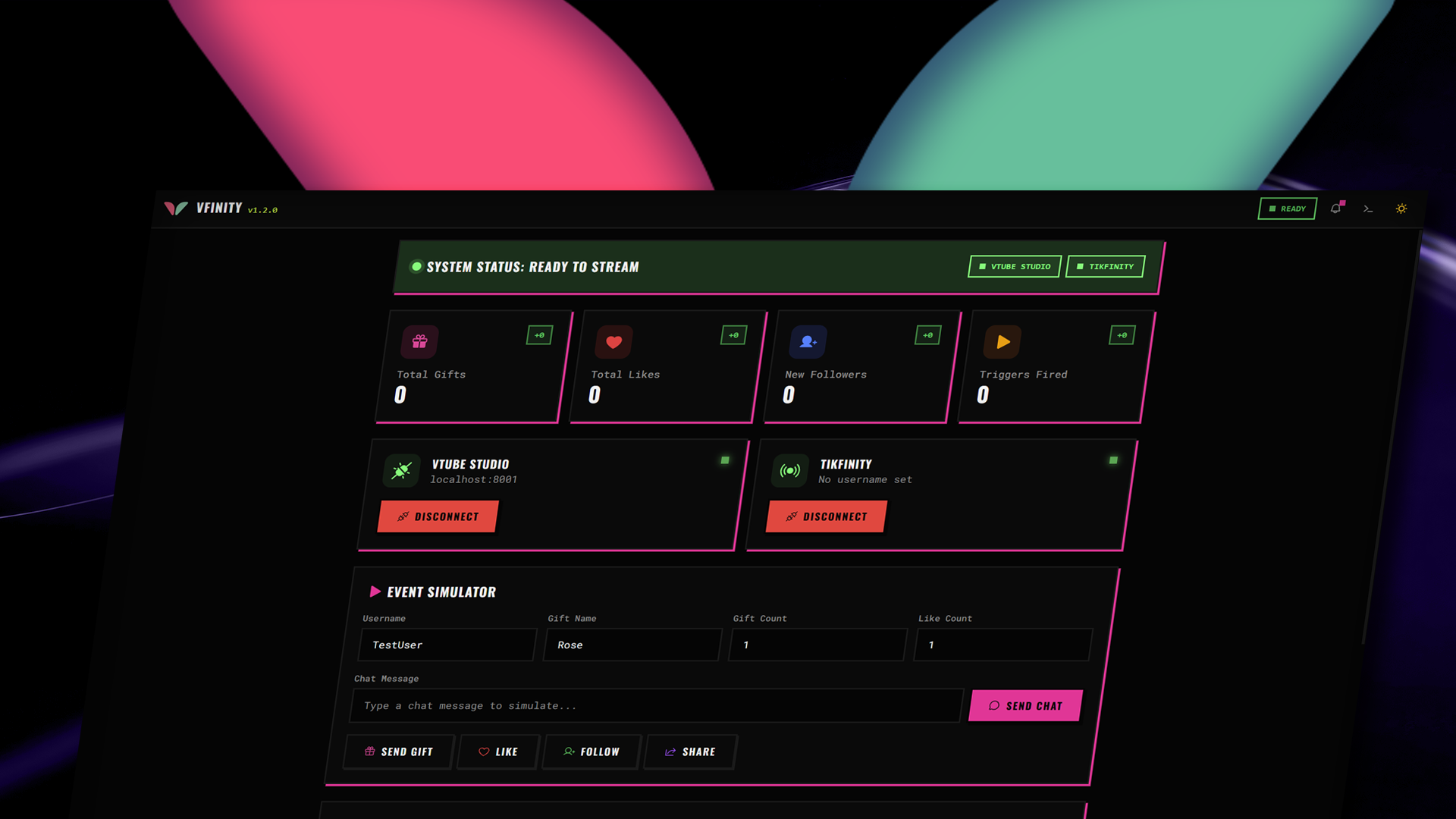
Vfinity opens on the Dashboard tab. The app has four tabs:

| Tab | Purpose |
|---|---|
| Dashboard | Connection status for VTube Studio and TikTok LIVE; quick connect/disconnect |
| Events | Create and manage event mappings (what happens when a TikTok event fires) |
| Throwing | Configure physics-based gift throwing, body-part hitboxes, and the OBS overlay |
| Connections | Service settings, themes, overlay port, debug mode, and auto-connect |
3. Connect VTube Studio
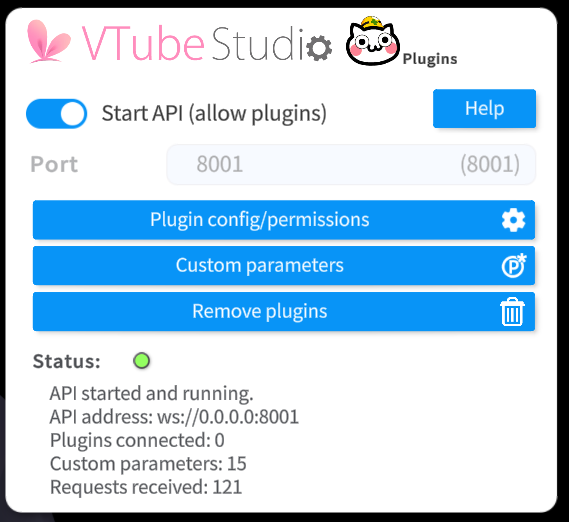
Open VTube Studio and load your model.
Go to Settings → API and toggle Enable API on.
In Vfinity, go to the Dashboard or Connections tab.
Set the VTS host and port (defaults: localhost / 8001).
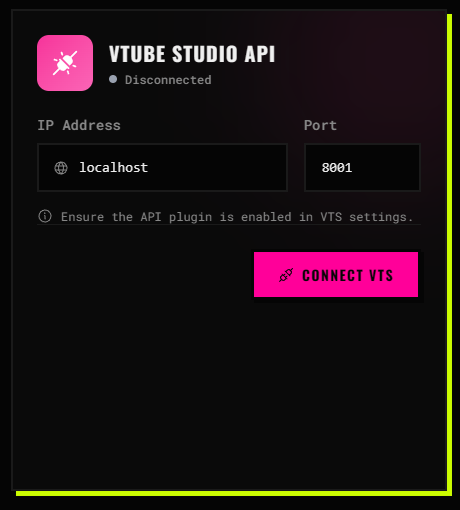
Click Connect VTS.
VTube Studio shows a permission prompt, click Allow.
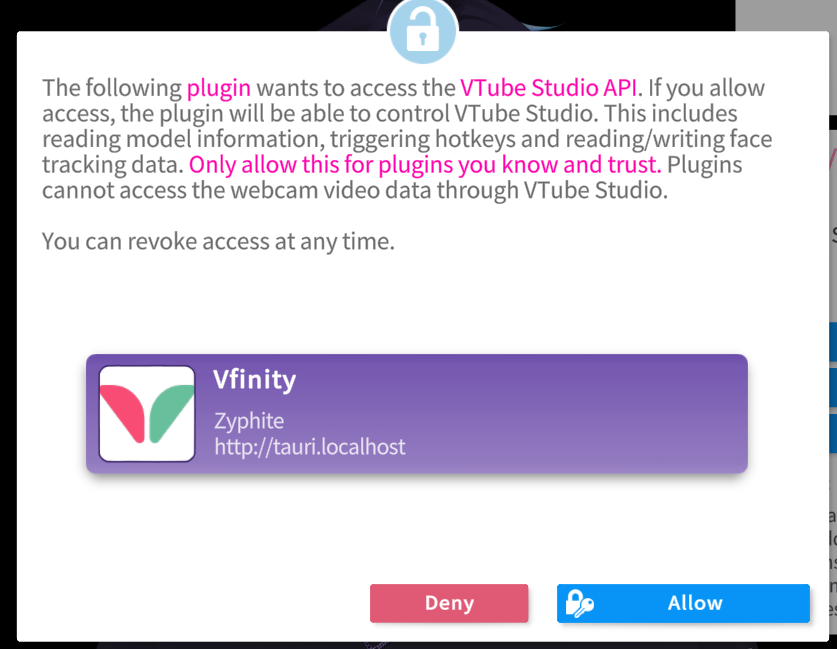
The status turns green (Authenticated). You can now trigger hotkeys, move your model, and apply VFX presets.

4. Connect TikTok LIVE
- Make sure your TikTok account can go live.
- In Vfinity, go to Dashboard or Connections.
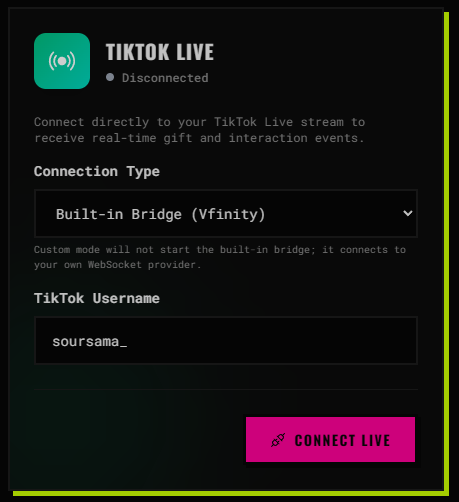
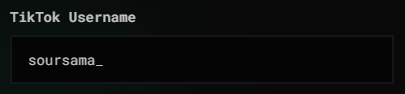
- Enter your TikTok username (your
@handle).
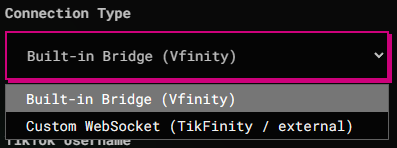
- Choose a connection type:
Built-in Bridge - Vfinity launches a native bridge process for a reliable connection.
WebSocket(Tikfinity) - for advanced users running their own TikTok event server.
- Click Connect TikTok.

- Start a TikTok LIVE - events (gifts, likes, follows, comments) appear in Vfinity in real time.
5. Create Your First Event Mapping
Event mappings tell Vfinity what to do when a TikTok event occurs.
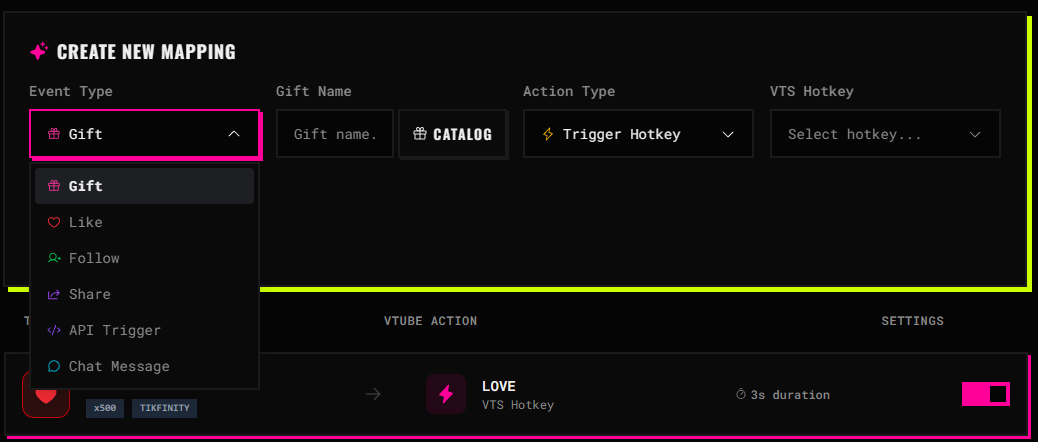
- Go to the Events tab and click New Event.
- Set the Event Type —
Gift,Like,Follow,Chat,Sub, orAPI Trigger.
- Add a Condition (optional) - filter by gift name/ID, minimum diamonds, chat keyword, etc.
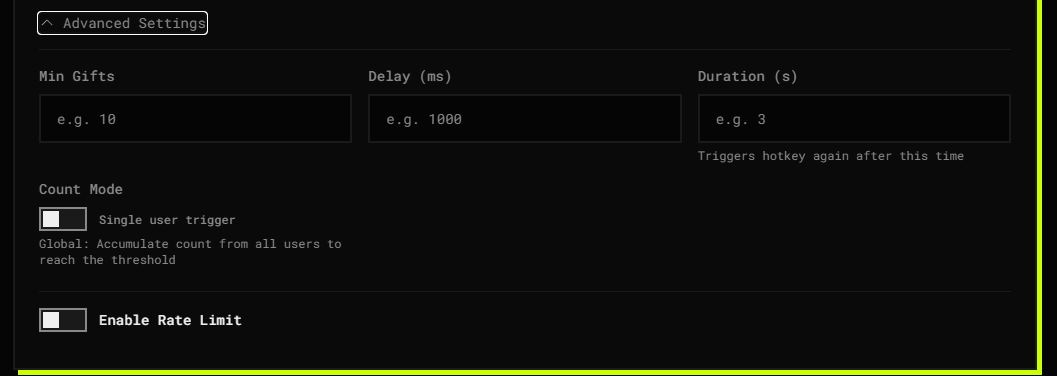
- Choose an Action Type:
Trigger Hotkey — fires a VTube Studio hotkey by name.
Move Model — nudges or teleports your model.
VFX Preset — applies a post-processing preset.
Throw Item — launches a physics object at your model (visible in the OBS overlay).
- Set the action parameters and click Add Mapping.
- The mapping is active immediately then test it during a live!
6. Set Up the Throwing System
The Throwing system turns TikTok gifts into physics objects that fly at your VTuber model, collide with body-part hitboxes, and trigger reactions (flinches, sounds, knockback).
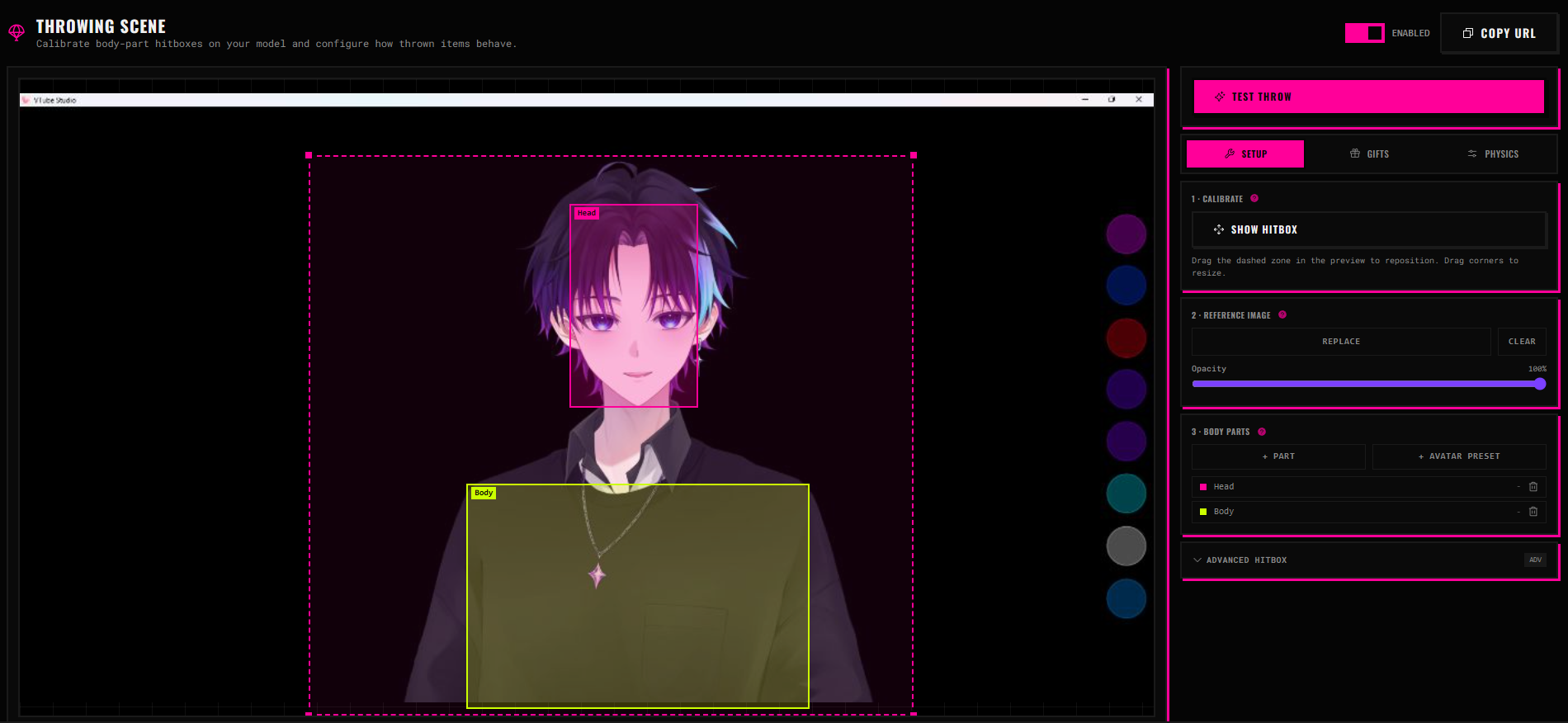
6a. Define the Throwing Zone & Body Parts
- Go to the Throwing tab.
- Use the Throwing Zone Editor to place and resize the zone where gifts appear.
- Add Body Parts (e.g.,
head,torso,left_arm) as named hitbox regions. - Optionally set per-part: hit sound, reaction (hotkey/move/VFX), and cooldown (ms).
6b. Configure Gift Physics
In the Throwing tab, set physics overrides per gift — custom mass, friction, restitution (bounciness), and scale. Expensive gifts can hit harder or look bigger.
6c. Enable Auto-Throw on Gift
Toggle Auto-throw on gift in the Throwing tab. Every incoming gift automatically launches a projectile at a mapped body part — no manual event mapping needed.
6d. Add the Overlay to OBS
- In Vfinity, go to Connections and note (or set) the Overlay Port.
- In OBS, add a Browser Source.
- Set the URL to the overlay address shown in Vfinity (typically
<a href="http://localhost:">http://localhost:</a>">http://localhost:"><a href="http://localhost:">http://localhost:</a>/throwing). - Set dimensions to your stream resolution (e.g., 1920×1080).
- The throwing physics now renders on top of your VTube Studio capture during lives!
Generic API WebSocket (For Developers)
Vfinity connects to an external WebSocket server you control, letting Stream Deck plugins, Python scripts, or custom games trigger events.
Vfinity is the client — it connects to your server.
- Run a WebSocket server (Node.js
wsor Pythonwebsockets). - In Vfinity → Connections, enable Generic API WebSocket and set host/port.
- Click Connect API.
- In the Events tab, create a mapping with Event Type → API Trigger and a matching Trigger Name.
- Send this JSON from your server:
{
      "type": "trigger",
      "name": "your_trigger_name"
}
Node.js Server Example
Requires ws (npm install ws):
const WebSocket = require("ws");
    const wss = new WebSocket.Server({ port: 8080 });
    wss.on("connection", (ws) => {
      console.log("Vfinity connected!");
      setInterval(() => {
        ws.send(JSON.stringify({ type: "trigger", name: "test_trigger" }));
      }, 5000);
    });
Python Server Example
Requires websockets (pip install websockets):
import asyncio, websockets, json
    async def handler(websocket):
        print("Vfinity connected!")
        while True:
            name = await asyncio.to_thread(input, "Trigger name: ")
            await websocket.send(json.dumps({"type": "trigger", "name": name}))
    async def main():
        async with websockets.serve(handler, "localhost", 8080):
            await asyncio.get_running_loop().create_future()
    asyncio.run(main())
Appearance & Themes
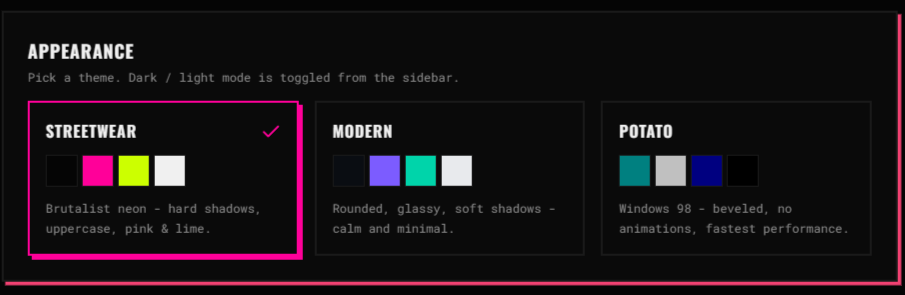
Three built-in themes: Streetwear, Modern, and Potato. Switch from Connections → Appearance. Light/dark mode persists across sessions.
Auto-Connect
Don't want to manually connect every time?
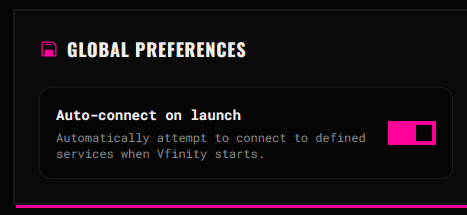
- Go to Connections.
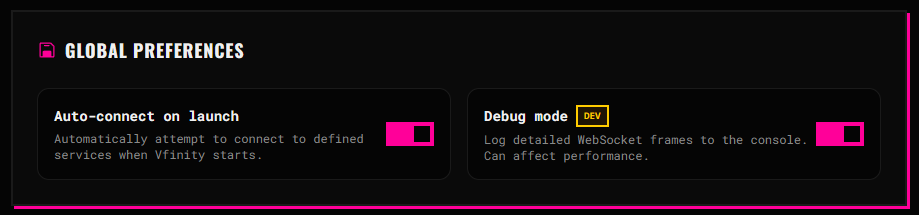
- Toggle Auto-connect on launch.
- Vfinity reconnects to VTube Studio, TikTok LIVE, and the Generic API automatically on startup.
Troubleshooting
| Problem | Likely Cause | Fix |
|---|---|---|
| VTS stays "Connecting..." | API not enabled or wrong port | VTS → Settings → API → Enable API; confirm port 8001 |
| TikTok stays "Connecting..." | Wrong username or sidecar failed | Check your @handle; restart Vfinity; check console (F12) |
| SmartScreen / Gatekeeper blocks app | App is not code-signed | Windows: More info → Run anyway. macOS: right-click → Open |
| API triggers not firing | Name mismatch or wrong JSON | Names must match exactly; type must be "trigger" |
| OBS overlay is blank | Port in use or wrong URL | Set a different Overlay Port in Connections; restart the browser source |
| Gifts don't auto-throw | No gift configs or toggle off | Throwing tab → add a gift config; enable Auto-throw on gift |
| Linux AppImage won't start | Missing libfuse2 | sudo apt install libfuse2 |
Debug Mode
Enable Debug Mode in Connections for verbose logging. Press F12 in Vfinity to open the developer console.
Quick Reference
| Feature | Location |
|---|---|
| Connect VTube Studio | Dashboard or Connections |
| Connect TikTok LIVE | Dashboard or Connections |
| Event mappings | Events tab |
| Throwing zone & body parts | Throwing tab |
| Gift physics overrides | Throwing tab |
| OBS overlay port | Connections |
| Themes & dark mode | Connections → Appearance |
| Generic API WebSocket | Connections + Events (API Trigger) |
| Debug mode & auto-connect | Connections |
| Gift catalog & region | Connections |
Leave a comment
Log in with itch.io to leave a comment.